
In the update sequence of the vector portrait of Mike Ehrmantraut (in Breaking Bad) I tried to describe why I change some aspects of a face compared to the reference photo that I use to create a portrait from scratch. This is what I wrote:
Some details, like the eyes, are intentionally drawn differently from what they look like in the reference image to enhance the visual impact of the image without giving up likeness. In every portrait the eyes determine 'the look' of the artwork. The choice of more or less differing colours can also be used to create a more dramatic effect. These are among my most used tricks to draw portraits that are more than just accurate copies of photographs. I prefer to create some sort of visual metaphor that reflects the way I perceive characters in an attempt to highlight the essence of their personality by revealing what (I think that) hides behind which is obviously noticeable at first glance, because everyone wears a mask, a fact of which some are not even aware that they do. I like to suggest to the observer to look beyond without encouraging to dissect in an invasive way, because when observing becomes judging one can no longer enjoy art.
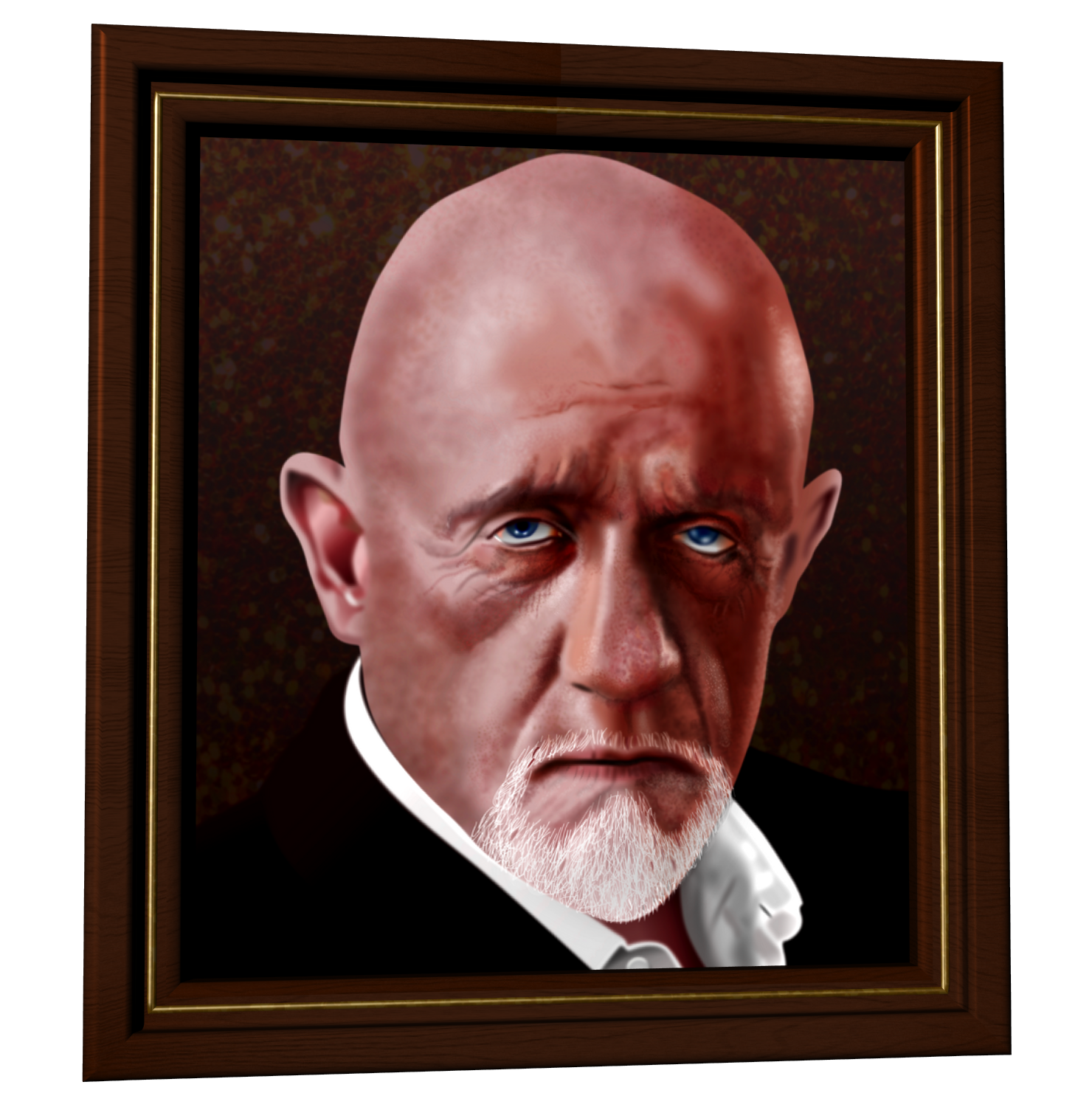 |
| Vector portrait of Mike Ehrmantraut |
It is my visual signature that reflects from each portrait I make, a signature that contains aspects that always are there, but also features that are unique to every portrait that I draw. Long ago I felt that I was forced to abandon the idea to be consistent, because I came to the conclusion that it is an illusion. The powers that aim to control mankind tried to make it an unavoidable part of the 'reality' imposed on all who were lured into believing that they exist inside of it, because they thought it would offer them control. And while that paradigm works as long as enough people believed in it, it no longer does that when an increasing number of people do not.
And yes, even in what is deemed to be a trivial aspect of life (not necessary to survive that is) like art, the possibility to be in control of things, is what matters to those that want to be in control. They are the ones that made mankind believe that art is a mere secondary requirement for the perpetuation of life. For those perceptive enough to understand that 'reality' is an imposed illusion, the intentional act of downplaying the significance of art, is part of the mechanism to maintain the power structure in which life has been trapped. To those to whom this claim sounds like a tin foil hat indulgence, I would like to say that more incarnations are needed to begin to understand what I wrote here.

While many believe that the cliché 'a picture says more than a thousand words' is true, sometimes the opposite is true, because human language - in this case the intentionally constructed English linguistic means of communication - has inbuilt mechanisms that refer to a wide range of meanings that only those aware of etymology and neuro linguistic programming understand. Therefore words are capable of painting a picture inside the mind of observers that says more than a thousand words can - creating a loop, which is nature's favorite way of expressing things, by way of patterns.
So what has become an unrelated matter in the fudged human perception, may have a completely different role in the evolution of life when perceived from a different angle. This of course does not apply to art only, but to countless other aspects of life. On the one hand millions are paid for specific artworks, while on the other hand art in general is marginalized. It is the common method used to hide things in plain sight, which causes many to be blind to certain things while having 20/20 vision. The same principle works in almost any situation; people can stare at things for hours in a row without seeing what is obvious to those fortunate enough to have been blessed with the gift of seeing. It distinguishes the vision of those that look and those who see.
Finally, why I prefer to create portraits using vectors instead of pixels. It is well known (in the graphics community) that vector images can be re-scaled to any size without loss of quality, while pixel images become blurry, while edges it contains become jagged and grimed with stray pixels of strange colour. This is the result of the fact that vector shapes and strokes are based on mathematical formulae that simply recalculate objects when re-scaled while pixels have absolute coordinates in an image that confuses software when re-scaled.

Affinity Designer allows to blur edges which causes the mind of the observer to find images with such properties realistic. The meta-information of vector images is closer to nature when limiting properties, like being able to render hard edges only, are removed. It is why I prefer to use this type of art creation. In addition the functions that require certain values to be assigned to them, can be given numbers that Nikola Tesla preferred (numbers divisible by three) or numbers of vortex math, re-discovered by Marko Rodin. These methods make hiding things in plain sight easier, while what is hidden, is beneficial to life, not hostile, even when depicting an actor that plays a role of one that is not so friendly to some. For technical details of making vector portraits I refer to the entries in my portfolio blog.


